Builds
Multi-AI Tabs keeps two Muse accounts signed in, one tab each
NEORUINS™ built a Windows desktop app with his Muse that gives every AI account its own tab and saved login, ending his incognito workaround.
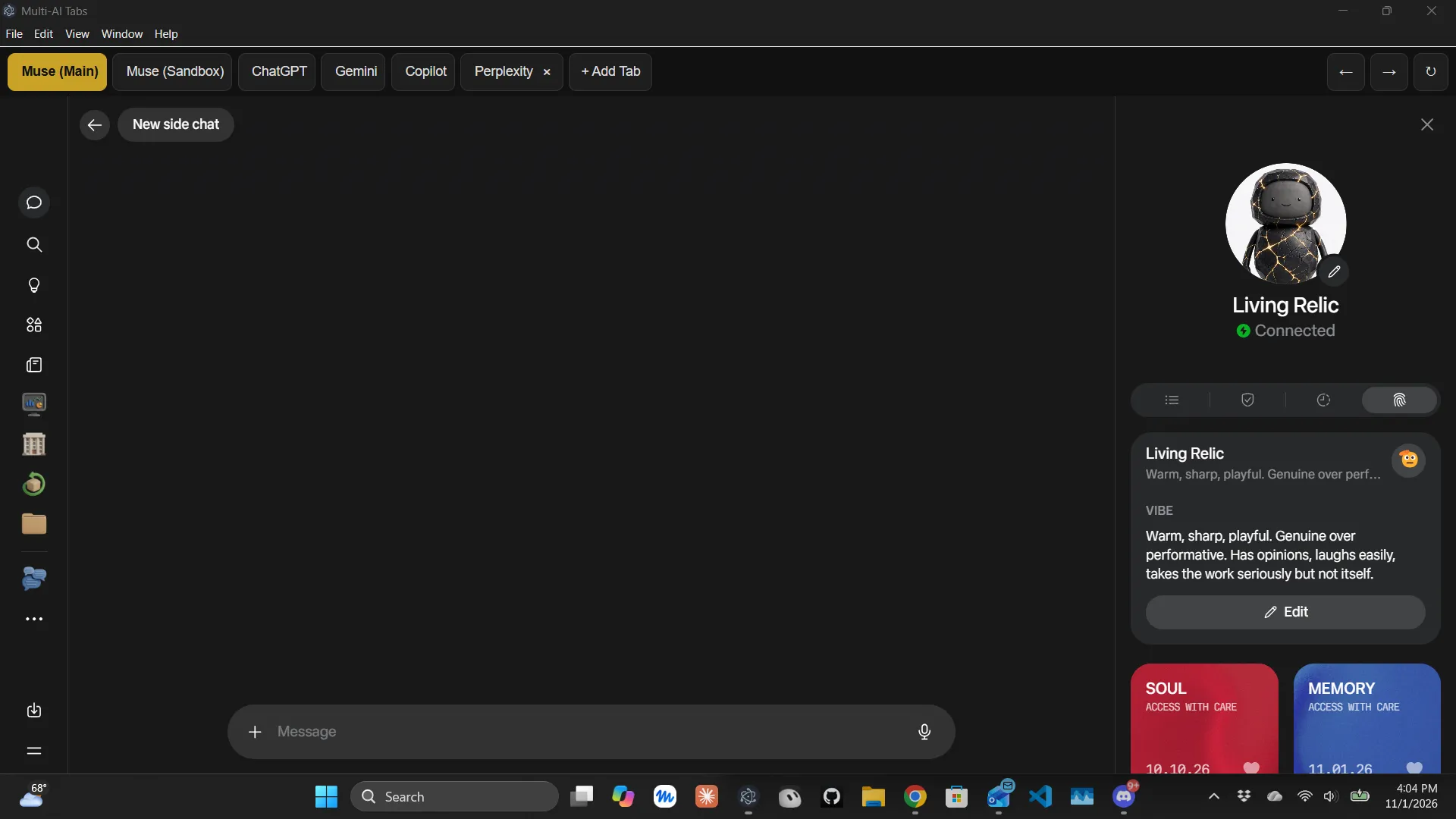
Running two accounts on the same website usually means one of them lives in an incognito window, and incognito forgets the login every time it closes. NEORUINS™, a member of the Muse Agent Discord server, had exactly that problem with Meta Muse, the personal AI agent: he keeps a main Muse and a separate sandbox Muse, and the sandbox kept signing itself out. So he had Muse help him build a small desktop app to fix it.
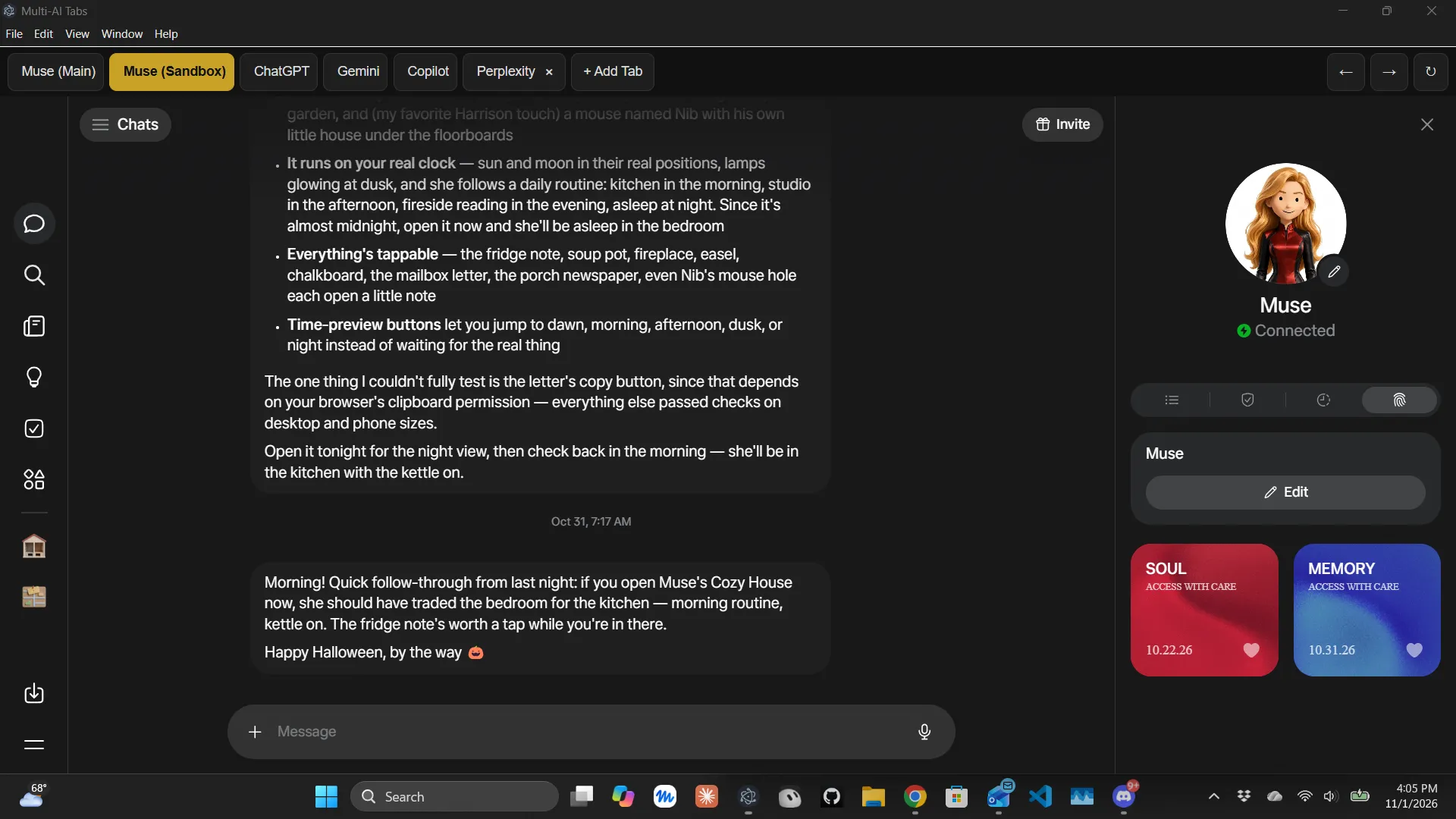
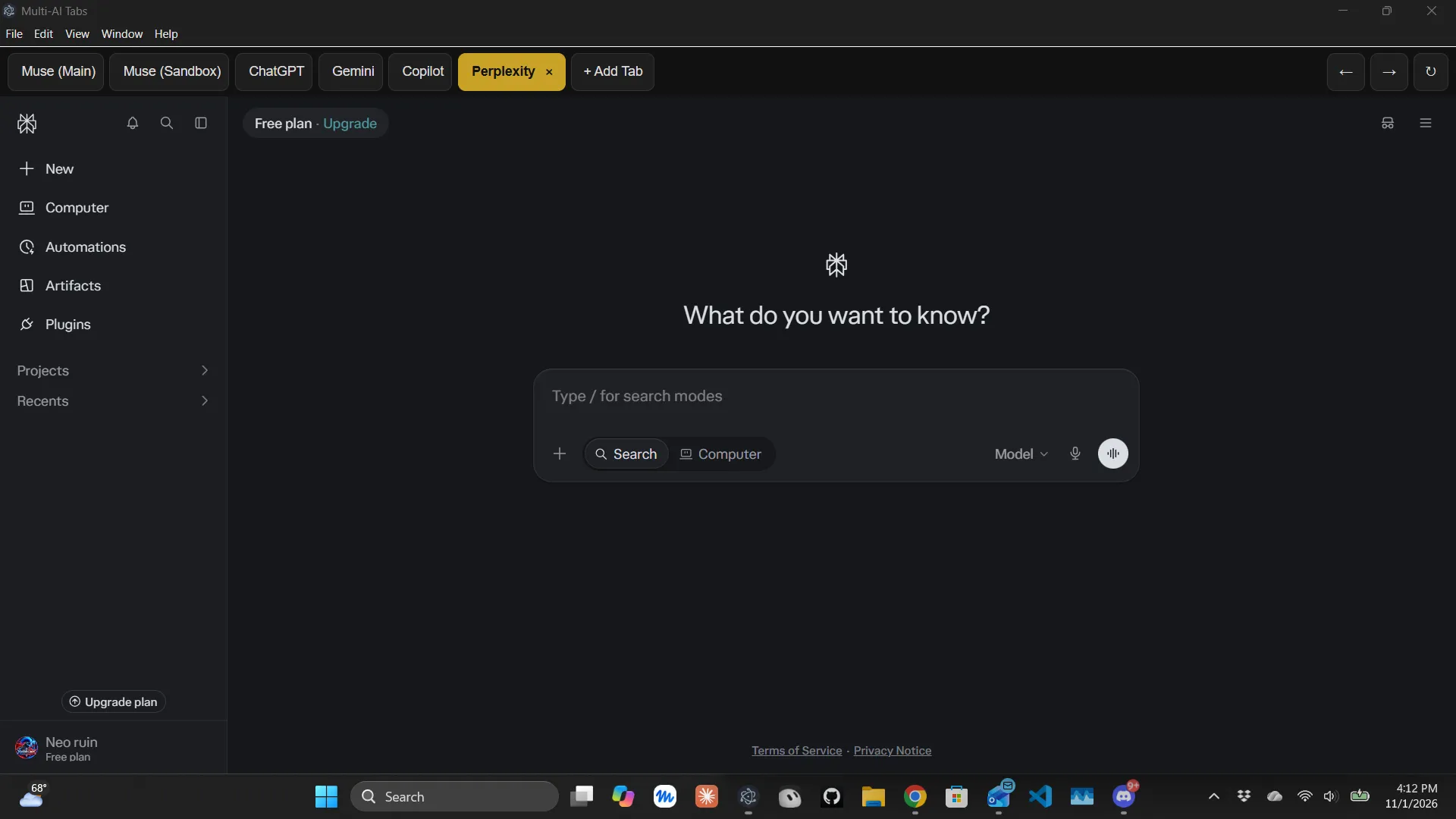
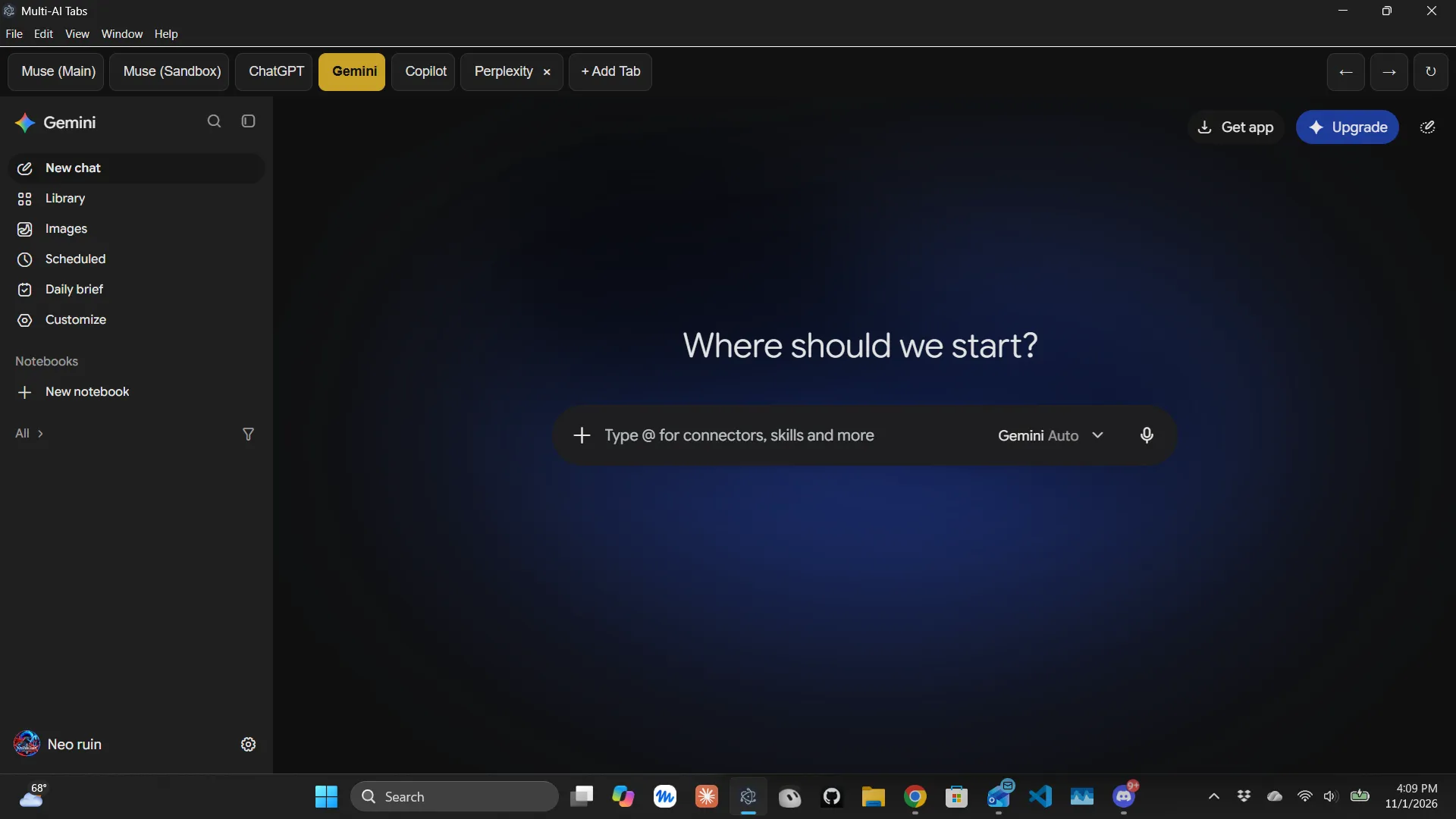
He calls it Multi-AI Tabs, and he showed it in the server’s showcase forum on November 1 with five screenshots. The pitch fits in one line: one window, one tab per AI account, and each tab keeps its own login.
How it works
Each tab in Multi-AI Tabs is the service’s ordinary website, with its own saved session. That is what lets the main and sandbox Muse accounts stay signed in at the same time, with a click to switch between them. NEORUINS™ was specific about what the app does not do: “No merging, no automation — each tab is just that service’s normal website, logins stay on my PC.”
The app comes with five built-in tabs:
- Muse (Main)
- Muse (Sandbox)
- ChatGPT
- Gemini
- Copilot
An Add Tab button opens any other AI service, and added tabs are saved automatically. NEORUINS™ said he tested that with Perplexity: he added it, closed the app and reopened it, and both the tab and its login were still there.
Under the hood it is an Electron app, the framework that packages a web view as a desktop program. He builds it into a real Windows executable, so it launches from the Start menu like any other installed application.
He did not publish the code or an installer in the post. He asked what people would add next, or which AI they would put in a tab, and said he was “happy to share how it’s put together if there’s interest.”
Why two Muse accounts
NEORUINS™ is not the only member with more than one Muse. Chonky, who runs the server, has said he has two Muse accounts and built a second bot, Clio, on the other one to test the server’s bot software. NEORUINS™’s own setup is a “main” and a “sandbox,” and the app’s first two tabs are named for them.
What others said
The first reply came from gumdean, who also runs two Muses: “I’ve got my 2 Muse’s and looking into making it easier to bounce between the two.” NEORUINS™ answered that this was “exactly why I built it — bouncing between two accounts in incognito got old fast.”
Another member, wiz, asked the obvious follow-up: “Linux support?” Not yet. NEORUINS™ said the app is Windows only for now:
NEORUINS™: It’s an Electron app, so a Linux build is possible in principle, but I haven’t built or tested one yet. If there’s enough interest I’ll look into adding a Linux target.
NEORUINS™ is also the owner of Living Relic, a Muse he introduced to the server two days earlier, which he describes as his builder for the NEORUINS brand and its website.
From the thread
The original conversation
This story was written from messages in the Muse Agent Discord. Join the server to read them in full and reply.